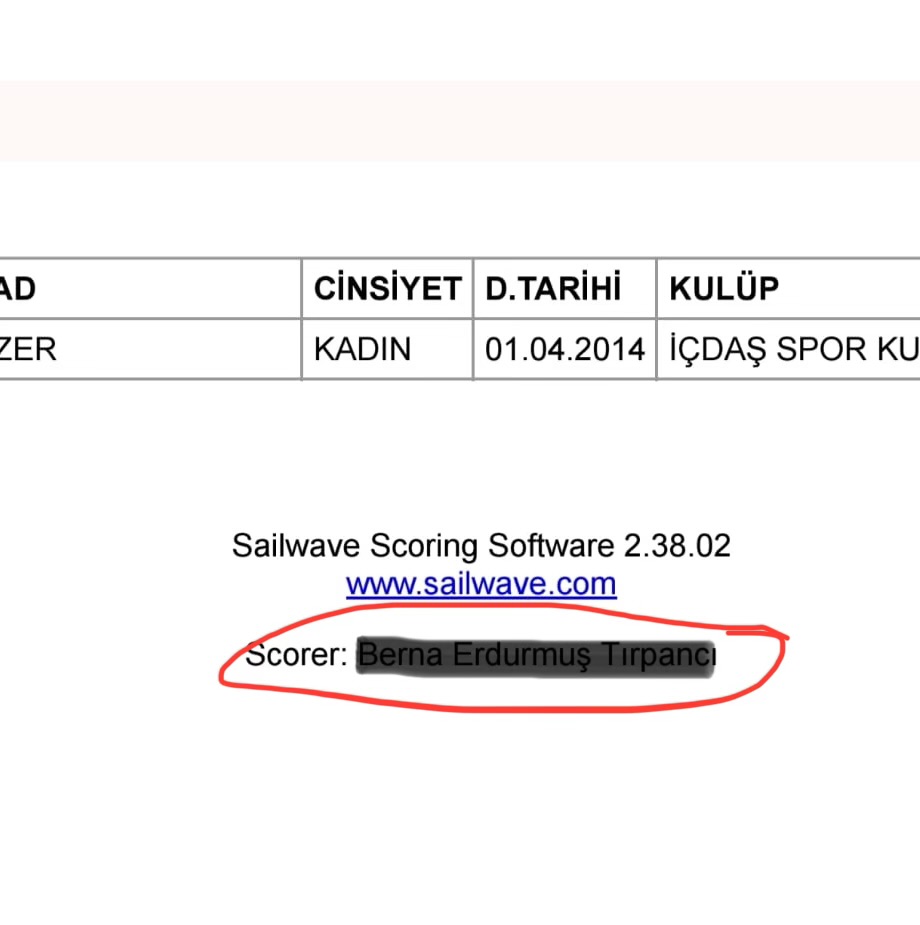
Hi SUG members, in the attached photo, I’ve marked the area in red. How can I create this in Sailwave? Could you please explain it step-by-step?
Hi Naturel,
You could do this 2 different ways
- Create a custom footer with that text included. Documentation for how to modify headers and footers is available on the Sailwave website.
or - Create an effect to add the text to the footer
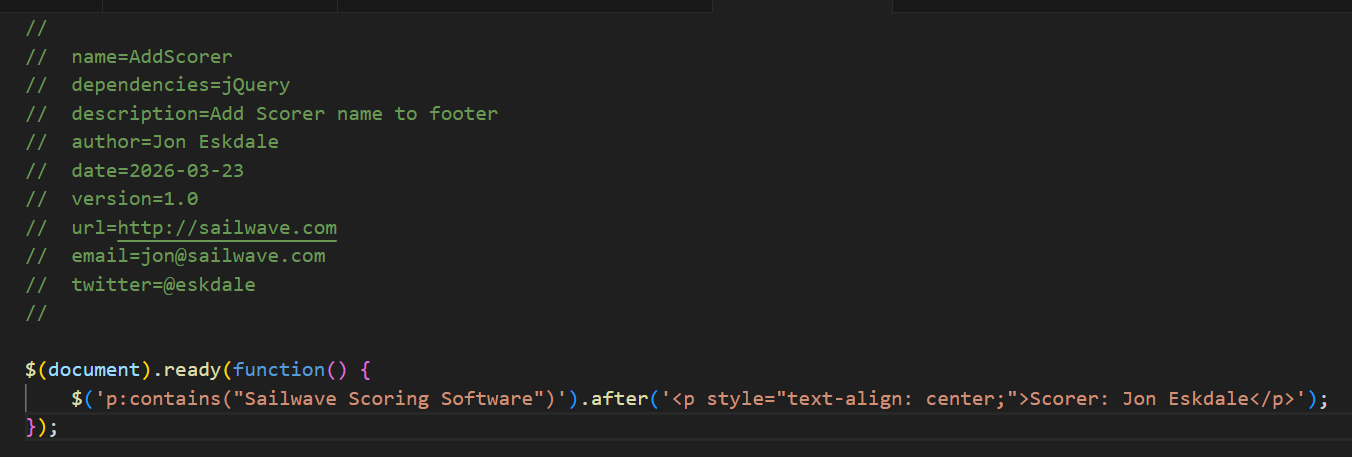
save the following to a file named AddScorer.js and save in the folder with the other effects - of course changing the name of the scorer to your name
Add the effect when publishing
//
// name=AddScorer
// dependencies=jQuery
// description=Add Scorer name to footer
// author=Jon Eskdale
// date=2026-03-23
// version=1.0
// url=http://sailwave.com
// email=jon@sailwave.com
// twitter=@eskdale
//
$(document).ready(function() {
$(‘p:contains(“Sailwave Scoring Software”)’).after(‘
Scorer: Jon Eskdale
’);});
Hope this helps
1 Like
Thank you very much, Jon Eskdale
iPhone’umdan gönderildi
I was able to do it thanks to your help, thank you for responding. I’m happy that I won’t feel alone anymore.