I downloaded the latest version of Sailwave on a new laptop running Windows 11 version 25H2. Sailwave loads and appears OK. The Task Bar options all work fine, User Interface, Series Properties, Scoring System. However, the menu bar and resize do not work.
I am unable to select any of the menu bar options; file, view, edit, publish.
I am unable to resize the window using the mouse to drag the corner.
Neither Jon or I can replicate the problem on hour Windows 11 devices. Current thinking is some other application is grabbing the focus. Some users have had success with holding down the CTL Key and then selecting the required menu bar option.
Please keep us informed as all information gathered might lead to a resolution.
Out of interest what make of PC and software installed.
If I tap Alt once the top menu items (File, Edit, etc.) are highlighted with an underline. While underlined, they can be selected with the mouse, the touch screen or by using the keyboard arrow keys to navigate the drop-down options.
Hi, I have just loaded Sailwave on my new ASUS S15 which is Windows 11 running on a snapdragon CPU. It comes up fine but the top level menu (File-view-edit etc.) doesn’t work. All the lower menu items do. My workaround is the ALT key plus the menu item letter - e.g. ALT with F for file menu.
I have a third issue running the latest version of Sailwave on a new laptop running Windows 11 version 25H2. Sailwave loads and appears fine. The Task Bar options all work fine, User Interface, Series Properties, Scoring System. However, the menu bar and resize do not work.
The top level menu (File-view-edit etc.) are not selectable. Pressing ALT is a work around.
Unable to resize the window using the mouse to drag the corner.
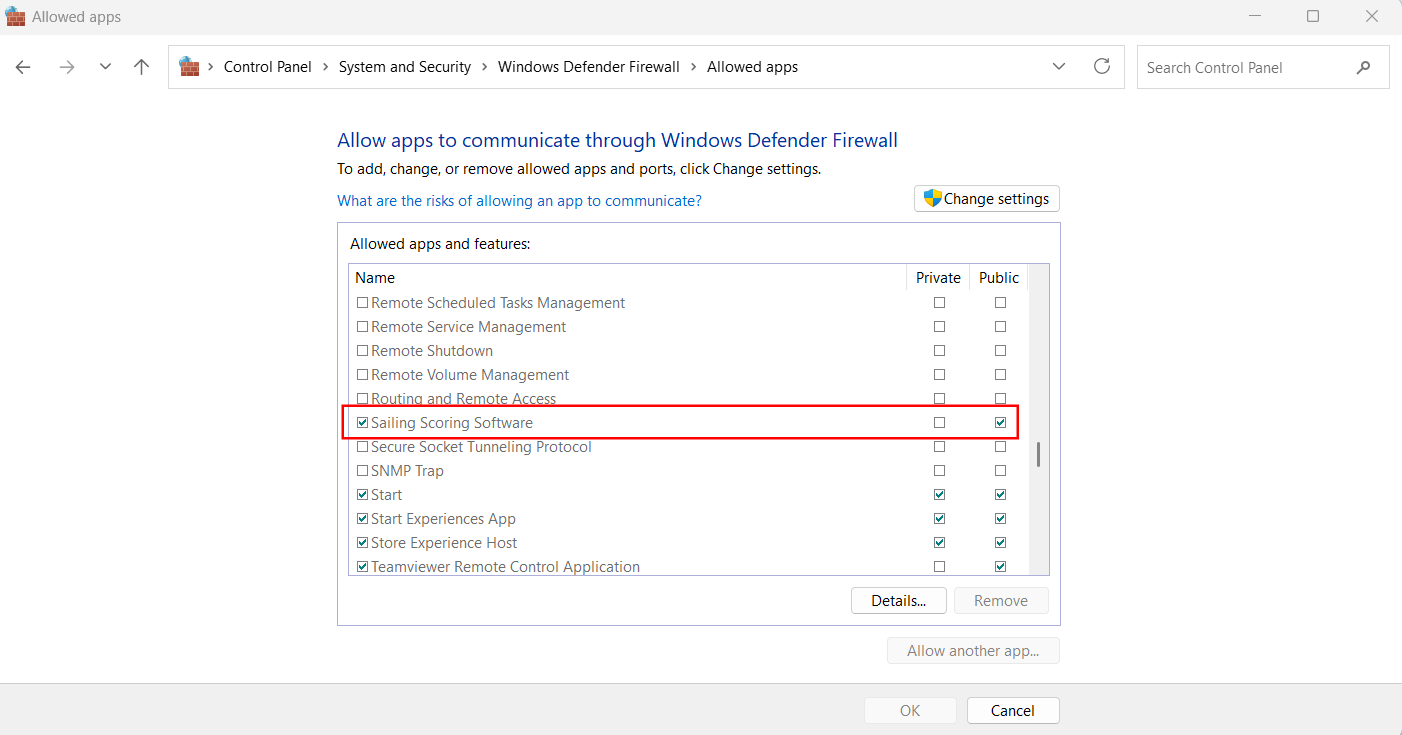
Unable to publish results to the Sailwave Results folder. Connection to sailwave.com to write the file is etablished. The previous results file is deleted. Then after several minutes I receive an error message “Failed to upload page to sailwave.com Error.” I am able to load files to the exact same folder from a different computer.
Thank you for the updates and I appreciate the issues are frustrating.
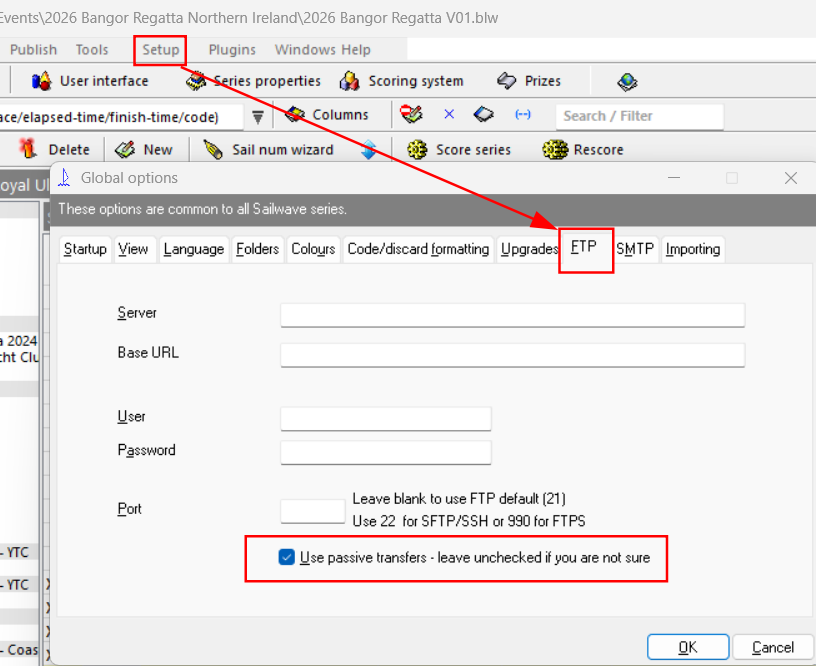
In regards to issue uploading to Sailwave website, something to try.
Go to Setup | Global options and select FTP tab at the bottom is a check box alongside words ‘Use passive transfers…’ If not checked then check it and try uploading and vice versa.
It is something I’m aware of. But it only happens on some PC’s. Out of curiosity what is the spec of your machine? My guess is that it is to do with some other application running in the background. I can replicate it by running Camtasia Capture in the background but that’s the only thing that causes it to behave like that on my PC
You don’t need to press the Alt and the letter. If you just tap the Alt key, it will enable the menu bar so you can then use your mouse. If you want to press the File menu, just tap the Alt key and then you can use the mouse to click on the File menu
In summary I think it’s some other programme running in the background which is the issue
Thanks for responding. My new laptop is an ASUS S 15 running Windows 11 on a Snapdragon Elite CPU. The only thing I have loaded beyond the standard windows is Microsoft 365 (Word, etc.). Pressing the ALT key does nothing until I add a letter.
Microsoft uses a translation layer to get Windows to run on a Snapdragon chip. There are a few known anomalies as a result. I strongly suspect that the Sail Wave issue is one of them. I suggest you ask the others sufferers if they are using Snapdragon - it has been out for about two years and getting more common.
The snapdragon is an Arm processor similar to Apple chips used in the current Apple macs.
If i run Sailwave on my Mac using parallels it uses the arm version of windows the same as the snapdragon and here it works perfectly.
Basically all windows APIs run native Arm code but the application gets emulated by converting the Intel code to Arm code. As it works perfectly on the Mac it should run on your ASUS
So there is definitely no issue running Sailwave using the Arm version of windows
Some users have reported if you try it immediately after booting it works fine but later stops inferring it is one of the background programs loading which is causing it
By coincidence today I was visiting my son who has a new Lenovo ideapad slim 3x laptop which has a Snapdragon processor. So I asked him if I could install and test Sailwave. I installed it and tried the menu and I don’t think it was working. But a pop up appeared to say the McAffee antivirus did he want to renew or uninstall. He chose uninstall and the process rebooted the laptop
I thought about McAfee earlier as I always uninstall it whenever I get a new PC and use Defender instead. I checked the processes running and there were still some vestiges running that I got rid of by rebooting. Didn’t make a difference, unfortunately. I am trying a few other things and will let you know if I find anything.
What version of Windows 11 is he running (25H2/26H1?)
One thing I did discover with the Alt Key is that the Sail Wave window has to be in the foreground (click on the header first) before the alt key activates the menu by itself. It isn’t enough to have the mouse pointer over the Sail Wave window.
After applying the July 18, 2026 Windows update — KB5121767 (OS Builds 26200.8894 and 26100.8894) Out-of-band Sailwave is working normally. The menu bar and resize are working.